


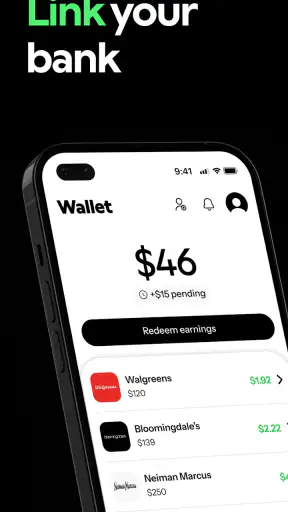
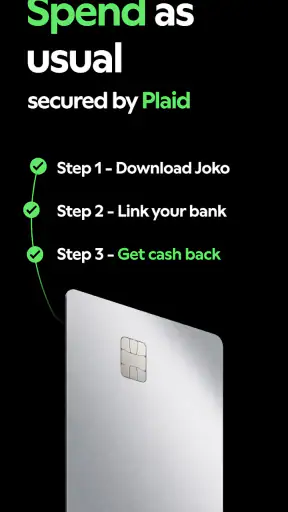
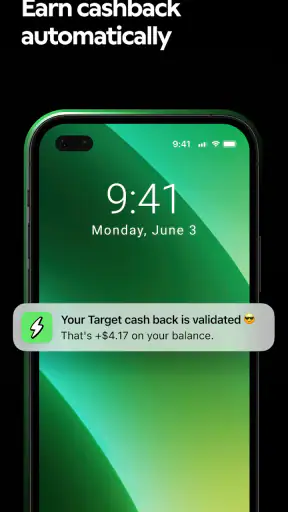
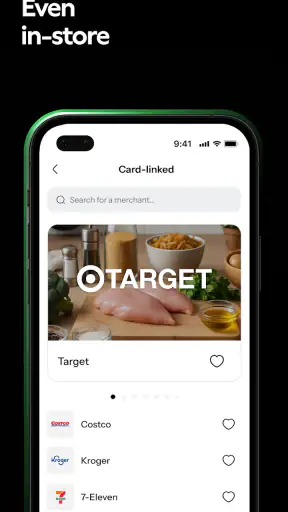
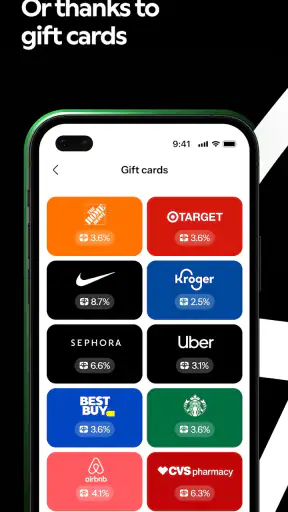
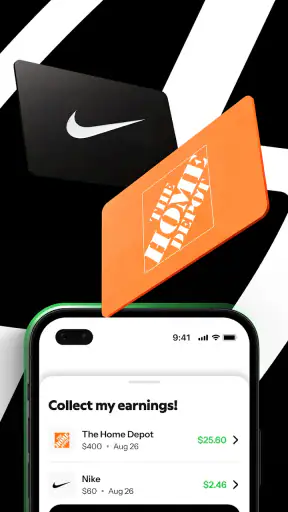
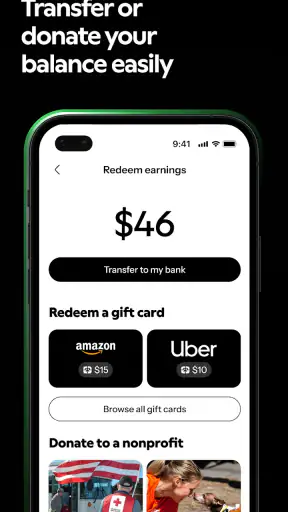
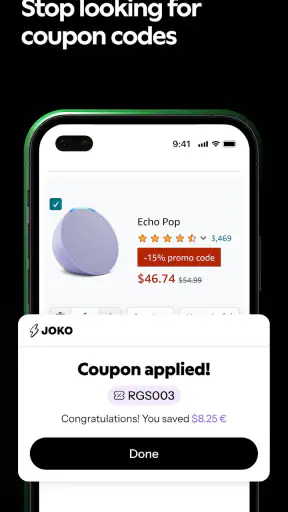
I tested Joko as a shopping companion rather than treating it like a simple coupon list, and that distinction matters. Its purpose is to help me recover money or find discounts while I shop through participating offers, so the value appears over time instead of in one dramatic moment. For a household, that makes it most interesting when one person normally handles online orders, or when several people need a shared way to remember where savings may be available before buying everyday items.
The app is free, aimed at Everyone, and comes from Joko Apps. It sits in the shopping category, where the main competition is not only other cashback services but also browser coupons, retailer newsletters, loyalty programs, and the habit of searching for a discount at the last second. I found that Joko is easier to appreciate when I use it before opening a shopping basket, not after I have already paid. That small change in routine is the difference between using it consistently and forgetting it exists.
How Joko fits into a shared household shopping routine
A realistic example is a household where one person buys groceries, another orders toiletries, and a third occasionally makes larger online purchases. Instead of assuming that everyone should use the same account or see every purchase, I would first decide who is responsible for checking offers. The app can then become a preparation step: before placing an order, that person checks whether the retailer or product category has a relevant saving opportunity and follows the available process carefully.
This approach avoids a common mistake with cashback apps: opening them only when a purchase is already urgent. If I am standing in a checkout flow with a nearly full basket, I am less likely to read conditions or notice whether an offer requires a particular route into the retailer. A better workflow is to check Joko while comparing stores, then complete the purchase in the way the offer expects. The saving is useful only if the transaction is tracked correctly, so patience is part of getting value from it.
For shared-device use, I would keep the arrangement simple. One household member can be the person who checks opportunities, while others send a message before making a planned purchase. That does not mean the app replaces a family budget or a shopping list. It works better as a final checkpoint: “Is there a Joko offer worth checking before I place this order?” Keeping that role clear prevents duplicated effort and reduces the chance that two people assume the other person has already checked.
I also would not treat the application as a communal wallet. Cashback and discounts are connected to the person using the service, so a shared phone does not automatically make the financial result shared. Each adult should understand whose account is active and who is making the purchase. That boundary is especially important when a household alternates between personal and joint spending.
Set up the account before chasing a discount
The first setup decision is not about finding the biggest offer; it is about choosing the account owner. On a shared device, I would avoid casually signing in and out while another person is midway through shopping. That creates confusion about which account initiated an action and who should later check the result. A dedicated user profile on the device, where available, is a cleaner arrangement than passing one session between several people.
I would also establish a household rule about receipts and order details. If a purchase is personal, the buyer should be the one who keeps the confirmation and checks the cashback status. If it is a shared purchase, agree in advance whether the saving belongs to the household budget or to the person who placed the order. This sounds minor, but cashback becomes awkward when everyone remembers the shopping and nobody remembers who was meant to receive the benefit.
Joko is free to install and use, which lowers the risk of trying it. Still, “free” does not mean every purchase becomes cheaper automatically. The user has to notice the offer, follow its conditions, and allow enough time for the result to be reflected. I would never increase a basket just to qualify for a saving. A discount on an unnecessary item is still unnecessary spending, and cashback should reward a planned purchase rather than create one.
The current version is 5.0.61, and the app works on Android 7.0 or later. That makes it accessible on many older Android phones, although households using a mixture of Android and iOS devices should agree on who will perform the checking. The experience and account handling may not feel identical across platforms, so I would not build a routine around one person assuming another person can reproduce every step on a different phone.
Coordination matters more than installing it
The most useful household habit I found is a short pre-purchase message. Before someone places an order, they can say what they are buying and where. The person who manages the cashback check can then look for a suitable route in Joko. This works particularly well for planned purchases such as household supplies, clothing, or a larger order that was already going to happen. It is less practical for an emergency purchase where speed matters more than optimization.
Another worthwhile habit is keeping a small note of pending purchases. I would record the retailer, the date of the order, the buyer, and whether the expected saving has appeared. This is not a feature I am claiming the app provides; it is a practical household workaround. It prevents repeated checking by several people and makes it easier to spot a transaction that needs attention. The record should contain only what the household needs, not a full catalogue of private spending.
There is also a trade-off between one person becoming the expert and everyone learning the app. A single coordinator is efficient, but it creates dependence. If that person is unavailable, other household members may skip the check entirely. I prefer a lightweight arrangement where the regular shopper knows the basic flow: open Joko before checkout, inspect the conditions, enter the retailer through the intended path, and save the confirmation. That is enough knowledge to keep the system from becoming a one-person chore.
For couples or housemates with separate finances, I would keep coordination optional rather than making every purchase visible. The app should not become an excuse to monitor another adult’s shopping. A message about a planned shared purchase is reasonable; demanding access to personal orders is not. This is one of the situations where a shared household strategy can be worse than individual use, because the administrative effort may outweigh the saving.
Read the offer conditions like a buyer, not like an advertiser
My strongest practical advice is to treat every offer as conditional until I have read the details. A headline saving can be attractive, but the real question is whether the product, retailer, payment route, or order timing fits the household’s purchase. I would check the offer before adding items, not rely on a screenshot or memory, and keep the order confirmation until the saving is visible.
This is also where Joko differs from an ordinary coupon search. A coupon site may give me a code to paste into a checkout box, while a cashback service may require me to begin the shopping journey from the app or activate an offer first. Those are not interchangeable workflows. If I prefer a quick code and do not want to think about tracking, a conventional coupon source may suit me better. If I am already comparing retailers and can follow a defined route, Joko has a more useful role.
I would avoid opening several cashback services at once for the same purchase unless I fully understand the consequences. Switching between tabs, apps, or referral paths can make it unclear which service should receive credit. The safest routine is to choose one saving method, start from that method, and finish the order without unnecessary detours. This is a small but non-obvious advantage of keeping household coordination simple: fewer people experimenting with the same basket means fewer tracking mistakes.
Another tip is to separate the value of a discount from the value of cashback. A coupon reduces the amount at checkout immediately, while cashback may be more useful as a later benefit. When comparing alternatives, I would calculate the final cost rather than choosing the offer with the most exciting wording. A smaller immediate reduction can be preferable if the household wants certainty, while cashback can be worthwhile for a purchase that was already planned and fits the conditions.
Age, trust, and account boundaries
The Everyone age rating makes the app approachable for a broad audience, but I would still treat shopping and account access as an adult responsibility in a shared home. An age label does not settle questions about payment cards, personal data, purchase approvals, or who is allowed to use an account. For younger family members, I would use Joko as a supervised learning tool for comparing prices, not as an invitation to shop independently.
Trust matters because cashback services connect shopping activity with an account. On a shared phone, I would not let a child or guest place an order while my account is open unless I had deliberately agreed to that arrangement. I would also avoid saving access details where another person can use them accidentally. The most sensible boundary is simple: the account holder checks offers, the buyer confirms the order, and nobody assumes that a shared device means shared authorization.
For adult housemates, separate accounts are usually easier to explain than one account with informal rules. Each person can decide whether the possible saving is worth the effort and can keep personal shopping separate. For a family budget, one designated adult can handle joint purchases, but that should be an explicit choice rather than the accidental result of whoever last used the phone.
I also recommend discussing what happens when a purchase is returned, cancelled, or changed. The household should not spend expected cashback before the transaction is settled. Treating the saving as a bonus rather than guaranteed money keeps the budget honest and avoids arguments when an order does not qualify. That cautious attitude is particularly important for larger purchases, where a mistaken assumption has a bigger effect than it would on a small basket.
What the app does well in everyday use
Joko’s main strength is that it can turn a routine shopping decision into a repeatable savings check. I like that it encourages me to compare the purchase path before committing, rather than searching randomly for codes after I have chosen a retailer. The app is most convincing when it becomes part of a planned routine: open it, inspect the available opportunity, follow the instructions, and keep the proof of purchase.
The scale of adoption also gives me confidence that this is not an abandoned experiment. It has more than a million installs and an average rating of 4.6 from around forty-seven thousand ratings. Those figures do not guarantee that every offer will suit my household, but they suggest that the basic idea works for a substantial number of shoppers. I still judge it by whether it fits my own purchasing habits, since popularity cannot compensate for an inconvenient workflow.
I found the app particularly suitable for people who make regular online purchases but dislike maintaining a spreadsheet of coupon codes. It can also help a household coordinator who wants one place to check before sending others to a retailer. The benefit is cumulative: a modest saving can matter when it appears across purchases the family was already planning.
However, the app is not ideal for someone who expects every discount to apply automatically with no attention. It also may not suit a shopper who buys only in physical stores, needs an immediate reduction at the register, or refuses to create a routine around checking offer conditions. In those cases, retailer loyalty schemes, a credit card benefit, or a straightforward coupon may be more convenient.
Where Joko creates friction
The biggest weakness is behavioral rather than technical: I have to remember to use it at the right moment. If I forget to start from Joko or overlook an important condition, the potential saving may disappear. That makes the app less like an automatic safety net and more like a shopping tool that rewards preparation. Households should be honest about this. If nobody wants to perform the pre-check, installing it will not change spending habits.
There is also a delay between taking action and feeling rewarded when the benefit is cashback rather than an instant coupon. That can make the value feel abstract, especially for small purchases. I would not recommend judging the app after one order. Instead, use it for several planned purchases and decide whether the effort, waiting, and record-keeping feel worthwhile.
Shared use adds another layer of friction. Multiple people can forget who started a purchase, use the wrong account, or assume a discount was already activated. The app itself cannot solve every household communication problem. A clear owner for joint shopping and a short confirmation message are more effective than installing it on every phone without an agreed routine.
Finally, cashback should not be confused with the lowest possible price. A retailer with a Joko opportunity may still be more expensive than another seller without one, and delivery charges or product differences can change the calculation. I would compare the full basket cost, delivery terms, return convenience, and trust in the retailer before treating the saving as decisive. That is the difference between smart shopping and chasing a percentage.
My household verdict
After using Joko as a deliberate checkpoint, I see it as a useful free shopping app for households that already buy online and are willing to plan one step ahead. Its strongest use case is a shared routine with clear account boundaries: one person checks the opportunity, the actual buyer knows which account is active, and everyone understands whether the purchase is personal or shared.
I would recommend it to a careful shopper who wants cashback and discounts without manually searching every retailer from scratch. I would also recommend it to couples or housemates who can coordinate planned purchases without turning every transaction into a group discussion. The app’s broad Everyone rating, support for Android 7.0 and later, and current version 5.0.61 make it approachable for many Android households, while its free price makes testing the routine relatively easy.
I would skip it if I mainly need instant coupons, shop almost exclusively in person, or know that I will not remember to open the app before checkout. I would also avoid making it the center of a household budget when the account owner and the buyer are different people and nobody wants to track pending rewards. In that situation, a direct retailer discount or a simple loyalty program may be clearer.
My final recommendation is to start with planned, ordinary purchases rather than an expensive one. Check the offer first, follow one shopping path without switching services, keep the confirmation, and agree who owns the resulting benefit. Used that way, Joko is less about chasing deals and more about adding a disciplined savings check to shopping you were already going to do. That is a modest promise, but in my experience it is the one the app can realistically keep.


